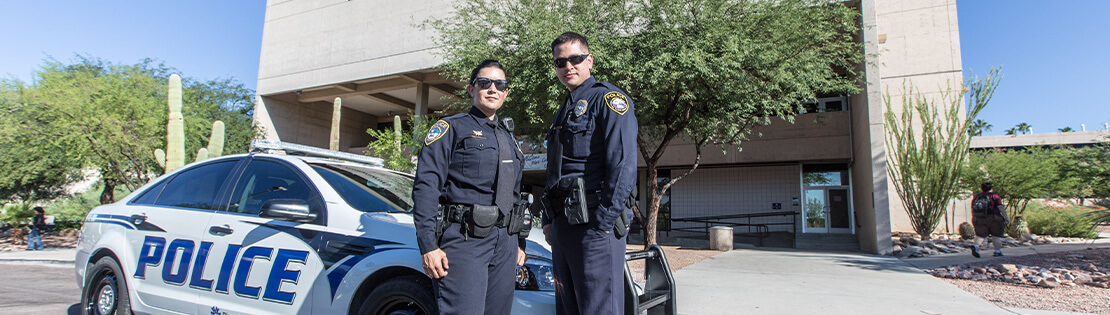
Help in Emergencies
Calls to 911 are answered by the Communication Center at the Tucson Police Department or the Pima County Sheriff’s Department and transferred to Pima Police, when required. PCC Police can be reached 365 days a year, 24 hours a day for emergency help by calling our College Police Communications Center at (520) 206-2700.
Emergency Telephones: Clearly marked emergency telephones in parking lots, campus elevators, and other key locations connect directly to the College Police Communications Center.
PCC Alerts: Signing up for PCC Alerts will allow you to receive text messages in the event of a campus emergency. See PCC Alerts - Emergency Messaging below.
Medical Emergencies
For medical emergencies, always dial 911.
In cases that do not require emergency room treatment or ambulance transportation, contact your personal physician.
Special Assistance
Individuals with disabilities are encouraged to prepare for emergencies ahead of time by discussing their need with appropriate personnel.- Employees should discuss questions or concerns about emergencies with their supervisor and/or the EEO/ADA office at (520) 206-6688 or email: ADRHelp@pima.edu.
- Students should discuss questions or concerns about emergencies with the Access and Disability Resources (ADR) office on any campus or by email at ADRhelp@pima.edu.
- Plan ahead – know the areas where you work, attend class, or visit on campus.
- Identify at least two exits.
- Is there ground floor access? If there is not, and you normally use an elevator to enter and leave a building, you will need evacuation assistance. Do not use elevators during an emergency unless instructed by emergency responders.
- Find a friend or co-worker and ask if they would be willing to assist during an emergency. It is suggested that you find more than one friend or co-worker in the event that person is unavailable. Campus Action Team Members (CAT) are also available to assist persons with disabilities during an emergency. To find out who these personnel are for your work area, please contact your supervisor or the Administrative Business Office.
- Know the location of a telephone for each area you frequent.
- Once you have a plan, practice that plan.
PCC Alert – Emergency Messaging
Signing up for PCC Alerts will allow you to receive text messages in the event of a campus emergency. Employees and Students may subscribe by accessing their personal information in the Banner system. Parents and community members can subscribe by following the directions below.
The system is designed to alert recipients to:
- Violent activity: active shooter; immediate threat to the PCC community, including off-campus events.
- Hazards: major fires, hazardous materials leaks or spills that threaten health and safety
- Major disruptions to the College: building closures, campus closures, severe weather, and Information Technology emergencies
Text messages
To sign up:
Employee: Please follow PCC Alert Signup Instructions for Employees.
Student: Please follow PCC Alert Signup Instructions for Students.
Community: Use your cellphone to text one of the hashtags below to (833) 683-4202. This will subscribe you to emergency alerts for the specified location for 32 days.
You will receive a confirmation message indicating that you have enrolled in emergency alert text messages. You can text the words “(insert appropriate hashtag) STOP” to stop receiving messages at any time.
Note: Contact your mobile service carrier to determine if there will be a charge; you can request that emergency alerts be exempt from charges.
List of hashtags and Locations
| Hashtag | Location |
|---|---|
| #PCCGuest | All PCC sites |
| #29Guest | 29th Street Coalition Center |
| #ATGuest | Aviation Technology Center |
| #DCGuest | Downtown Campus |
| #DMGuest | Davis Monthan Air Force Base |
| #DOGuest | District Office |
| #DVGuest | Desert Vista Campus |
| #ECGuest | East Campus |
| #EPGuest | El Pueblo Liberty Adult Learning Center |
| #ERGuest | El Rio Adult Learning Center |
| #MSGuest | Maintenance and Security |
| #NWGuest | Northwest Campus |
| #WCGuest | West Campus |
PCC student & staff email accounts automatically receive alerts. To add a personal email account, send a request to maintinfo@pima.edu or call 520.206.2733.
You will receive a confirmation email. It will contain information on how to opt-out of future messages.
PCCAlerts enforces a zero spam policy that clearly prohibits unsolicited messages. PCCAlert does not sell contact information to third-party marketers. If the text message is not from (833) 683-4202 or (520) 462-3389, then it is not from PCCAlert.
Learn more by reading the PCCAlert FAQ.